
Coordinates
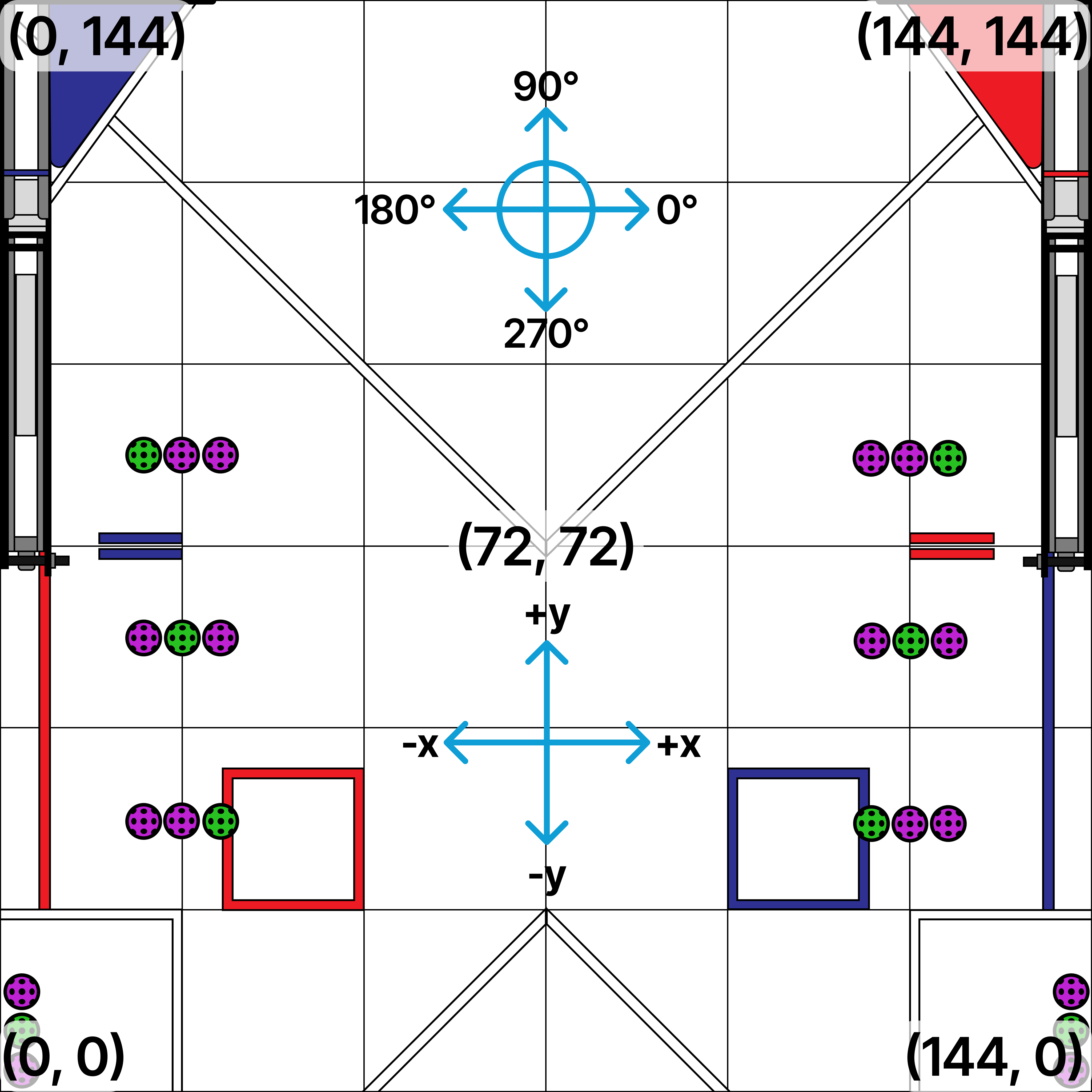
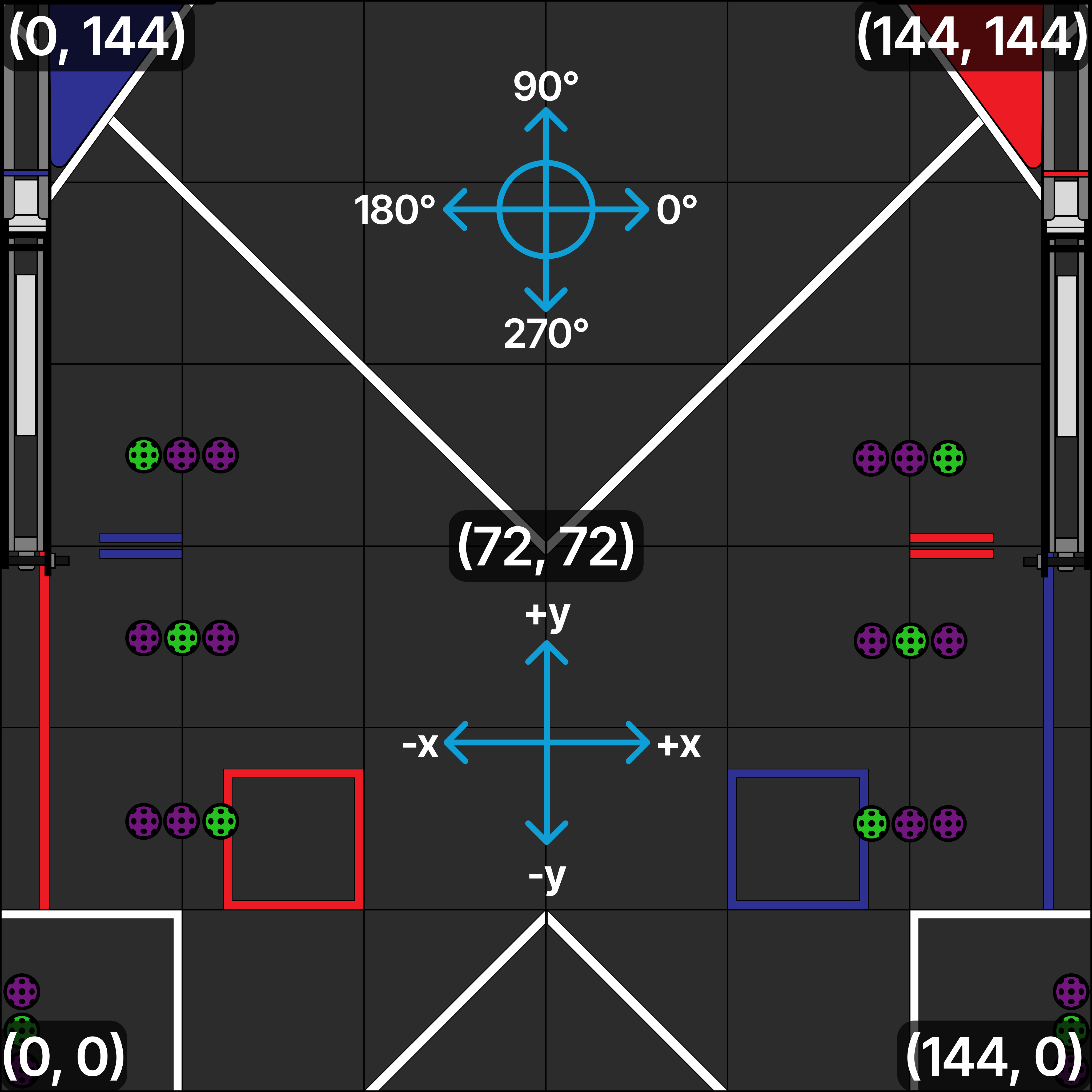
Pedro Pathing uses a right-hand coordinate system, which is nonstandard to the FTC SDK Standard.
As a robot moves to the right, x increases. As a robot moves up on the field, y increases.
A robot facing towards the right side of the field is at a heading of 0 radians (0 degrees), facing up is radians (90 degrees), facing left is radians (180 degrees), and facing down is radians (270 degrees).
Thus, counterclockwise rotation is positive rotation, similar to a unit circle.
Converting FTC Coordinates
Pedro does not include a built-in coordinate conversion method. Coordinates from the FTC coordinate system can instead be rotated and translated directly when creating a Pose.
For example, if you have a Pose2D named ftcPose2d, you can convert it to Pedro coordinates like this:
double x = ftcPose2d.getX(DistanceUnit.INCH);
double y = ftcPose2d.getY(DistanceUnit.INCH);
double heading = ftcPose2d.getHeading(AngleUnit.RADIANS);

Pose convertedPose = new Pose(
    y + 72,
    72 - x,
    heading - Math.PI / 2
);
The x and y values are rotated to match Pedro's axis directions, then translated by 72 inches to move the origin from the center of the field to the bottom-left corner.
The heading is also rotated by radians to match Pedro's heading convention.
If the coordinate system you are converting from uses a different origin, axis orientation, or distance unit, adjust the rotation and translation accordingly.
Last updated on